CAMPAIGN MANAGEMENT PLATFORM
CPASS - A SMS Campaign Management SaaS Tool Case Study
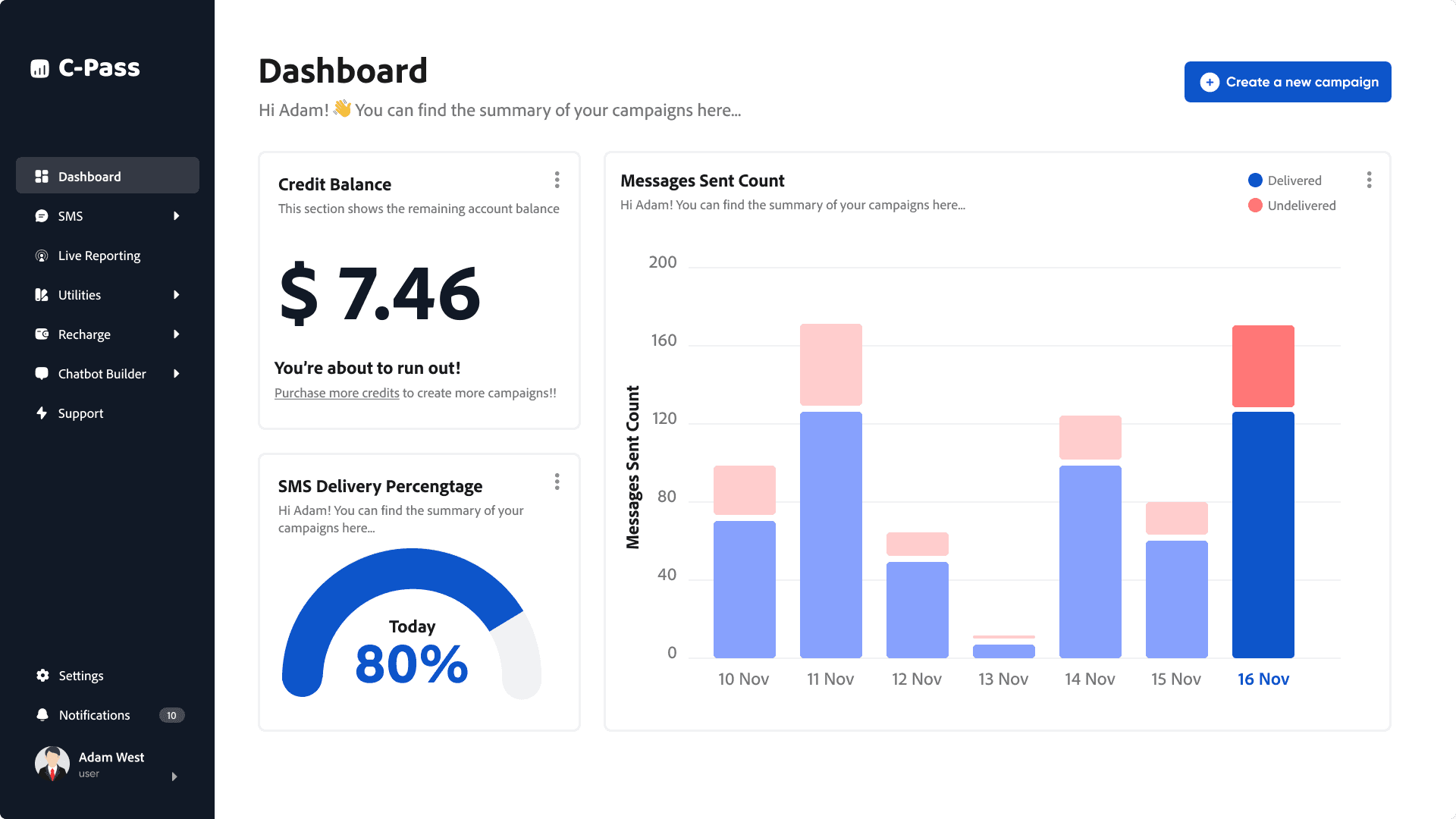

In today's fast-paced digital world, effective communication is key. SMS and WhatsApp campaigns remain powerful tools for businesses to connect with their audience directly. However, managing these campaigns efficiently can be a challenge. This case study delves into how I helped in the design process of CPASS, a SaaS tool that aims to simplify SMS and WhatsApp campaign management.
Through meticulous UX design, CPASS aims to bridge the gap between campaign complexity and user-friendliness, enabling businesses to harness the power of SMS and WhatsApp communication with ease.
Project Overview
The primary objective of this project was to design and develop CPASS, an intuitive and efficient SMS/WhatsApp Campaign Management SaaS tool, tailored to meet the specific needs and preferences of its target users. The software aimed to address the pain points associated with traditional campaign management
Target User Groups
CPASS addresses the needs of both clients and administrators, offering a comprehensive solution with features such as campaign creation, scheduling, live tracking, blacklisting, and credit management. I designed the client-side interface to empower users to create and manage their campaigns seamlessly, while the admin side provides a centralized platform for overseeing all clients, managing credits, and interacting with SMPP operators.
My Role
I led the entire UX design process for CPASS, starting from conducting preliminary user research and in-depth client interviews to gain a comprehensive understanding of their pain points and expectations. I focused on making the software user-friendly and tailored to clients who prefer shortcuts and tabular data representation.
My responsibilities included creating wireframes, high-fidelity prototypes, conducting user testing, and gathering valuable feedback to iterate on the designs. I collaborated closely with the development team to ensure a smooth implementation of the UX vision. Additionally, I actively participated in the initial launch of CPASS, providing support and guidance to ensure a successful user onboarding experience.
Adhering to ISO 9241-210 guidelines, the design process for CPASS was deeply rooted in a user-centered philosophy. We prioritized understanding user needs and preferences through extensive research and client interviews. This user-centric approach guided every stage of the design, ensuring the final product effectively addressed pain points and delivered a seamless user experience.
Understanding and Specifying the Context of Use
This involved conducting thorough user research and client interviews to identify user needs, tasks, and environments.
Specifying User Requirements
The insights gathered were translated into concrete user requirements, forming the foundation of the design.
Producing Design Solutions
Iterative wireframing and prototyping were used to generate and refine design solutions, ensuring they met user requirements.
Evaluating Designs
User testing and feedback collection played a crucial role in evaluating the usability and effectiveness of the design solutions.
Qualitative research formed the bedrock of the CPASS design process, aiming to gain a profound understanding of user needs and preferences beyond surface-level observations. In-depth interviews were conducted with a diverse group of potential users and clients, carefully selected to represent the target audience. These interviews delved into their current campaign management workflows, challenges, and aspirations, uncovering pain points and unmet needs.
The interviews fostered open-ended discussions, allowing participants to share their experiences, frustrations, and desired features in their own words. This qualitative data provided rich insights into user behaviors, motivations, and expectations, painting a vivid picture of the ideal campaign management tool. The focus on tabular data presentation and shortcut integration stemmed directly from these user insights, demonstrating the power of qualitative research in shaping a truly user-centric design. The reason for this is:
Identifying Pain Points
Understand the challenges and frustrations users face with existing campaign management tools or workflows.
Uncover User Needs
Discover the specific features and functionalities that users require to effectively manage their SMS and WhatsApp campaigns.
Explore User Preferences
Gain insights into user preferences regarding interface design, data representation, and interaction patterns.
Validate Design Concepts
Gather feedback on initial design concepts and prototypes to ensure they align with user expectations.
Iterate on Design Solutions
Use the gathered data to continuously improve and refine the design, ensuring a user-friendly and effective final product.
The qualitative research conducted unearthed valuable insights that shaped the design and development of CPASS. These key findings highlight user pain points, preferences, and expectations, providing a clear direction for creating a user-centric solution. Some of them were:
Campaign Management Challenges
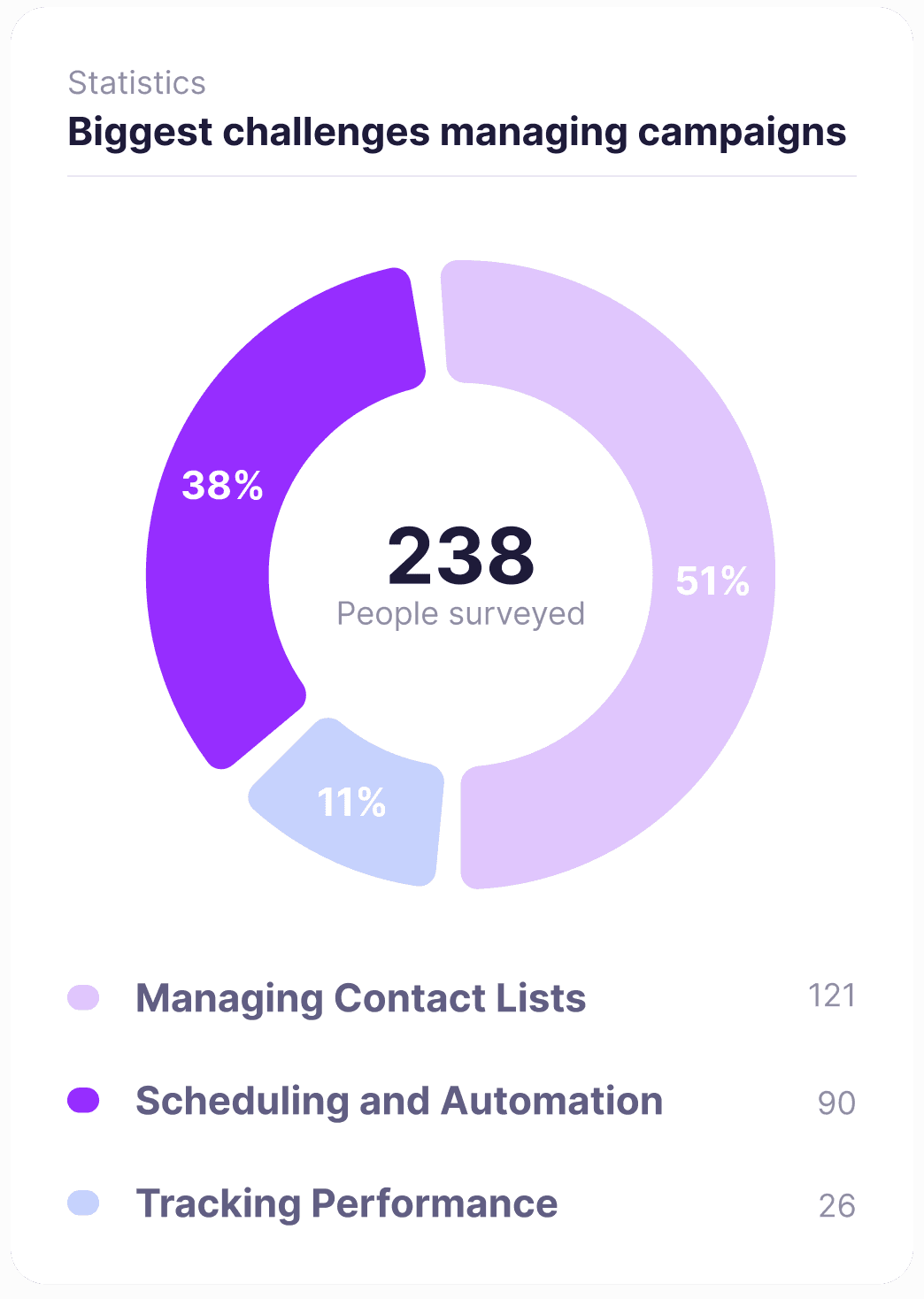
The majority of interviewees (40%) identified managing contact lists as their biggest challenge in SMS/WhatsApp campaign management, followed by scheduling and automation (26.67%). This highlighted the need for CPASS to provide robust contact management tools and intuitive automation features.
Demand for Automation & Analytics
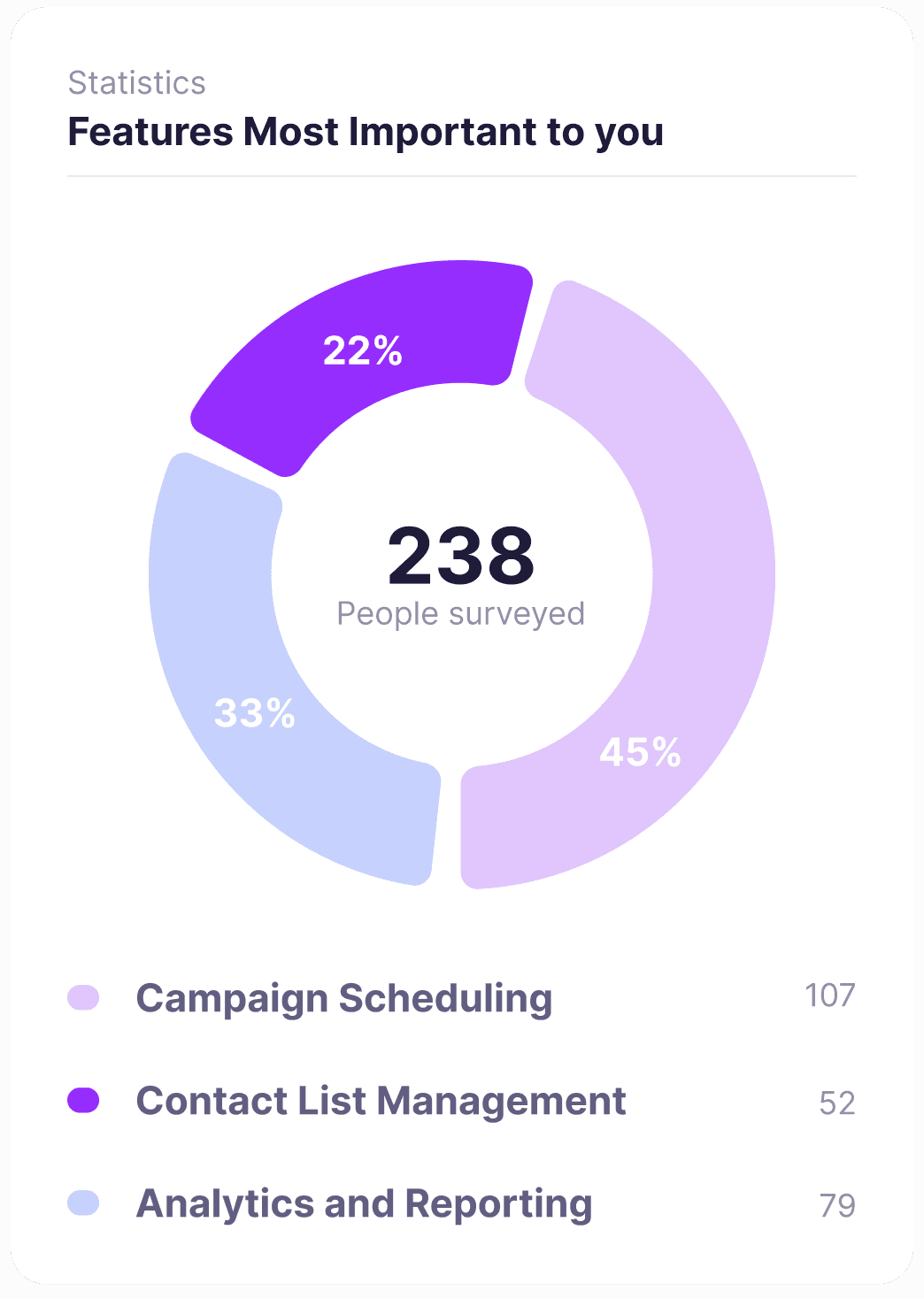
Campaign scheduling and automation (44.44%) and detailed analytics & reporting (33.33%) emerged as the most desired features in a campaign management tool. Users sought efficiency and data-driven insights to optimize their campaign performance.
Preference for Visual
Data
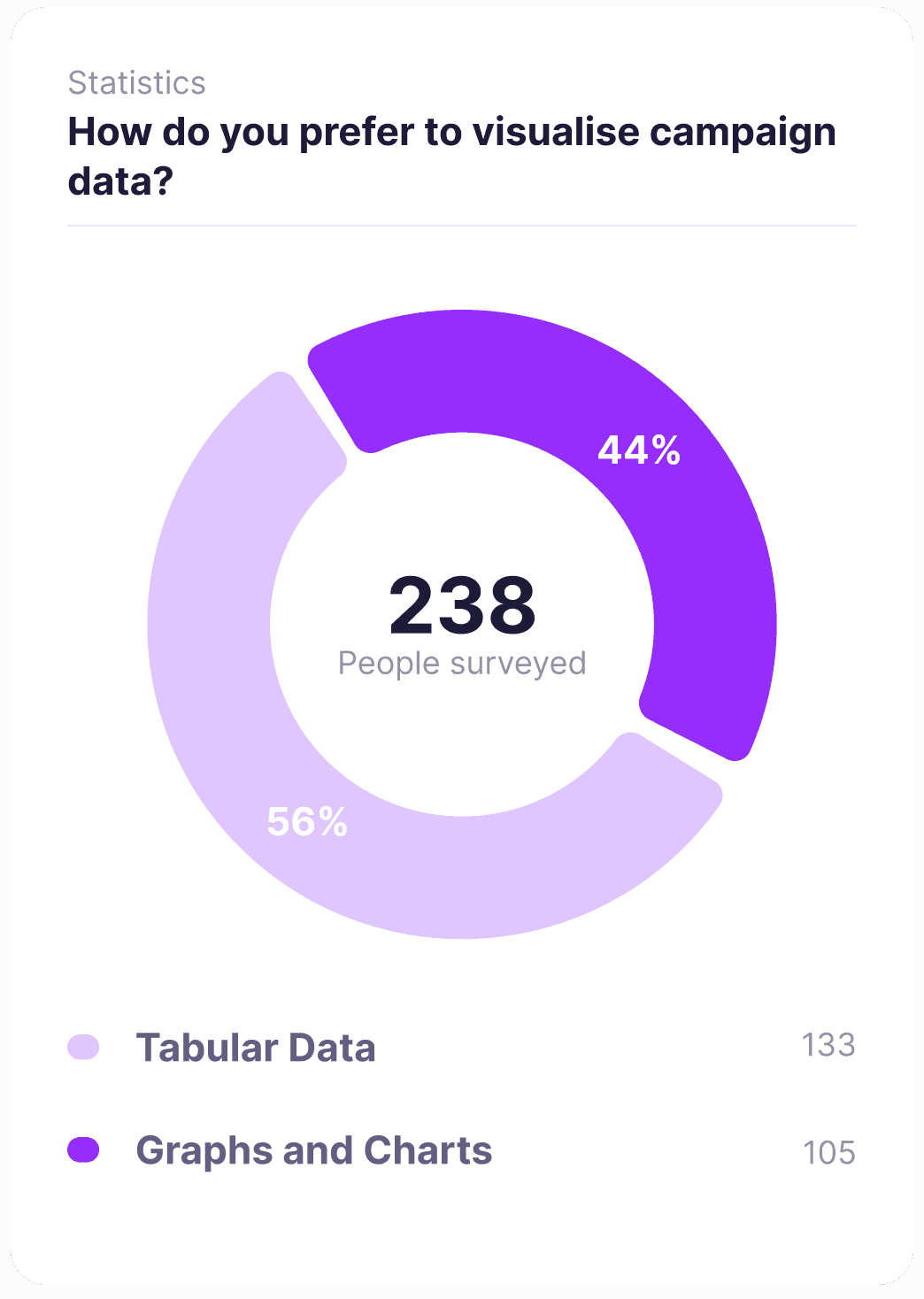
The preference for visualizing data through graphs and charts (55.56%) over tabular data (44.44%) indicated a need for CPASS to offer clear, visual representations of campaign performance.
SMPP Management Pain Points
In terms of SMPP management, connection stability issues (33.33%) were the primary challenge, followed by monitoring message delivery status (22.22%). This underscored the importance of incorporating robust SMPP monitoring and management features within CPASS.
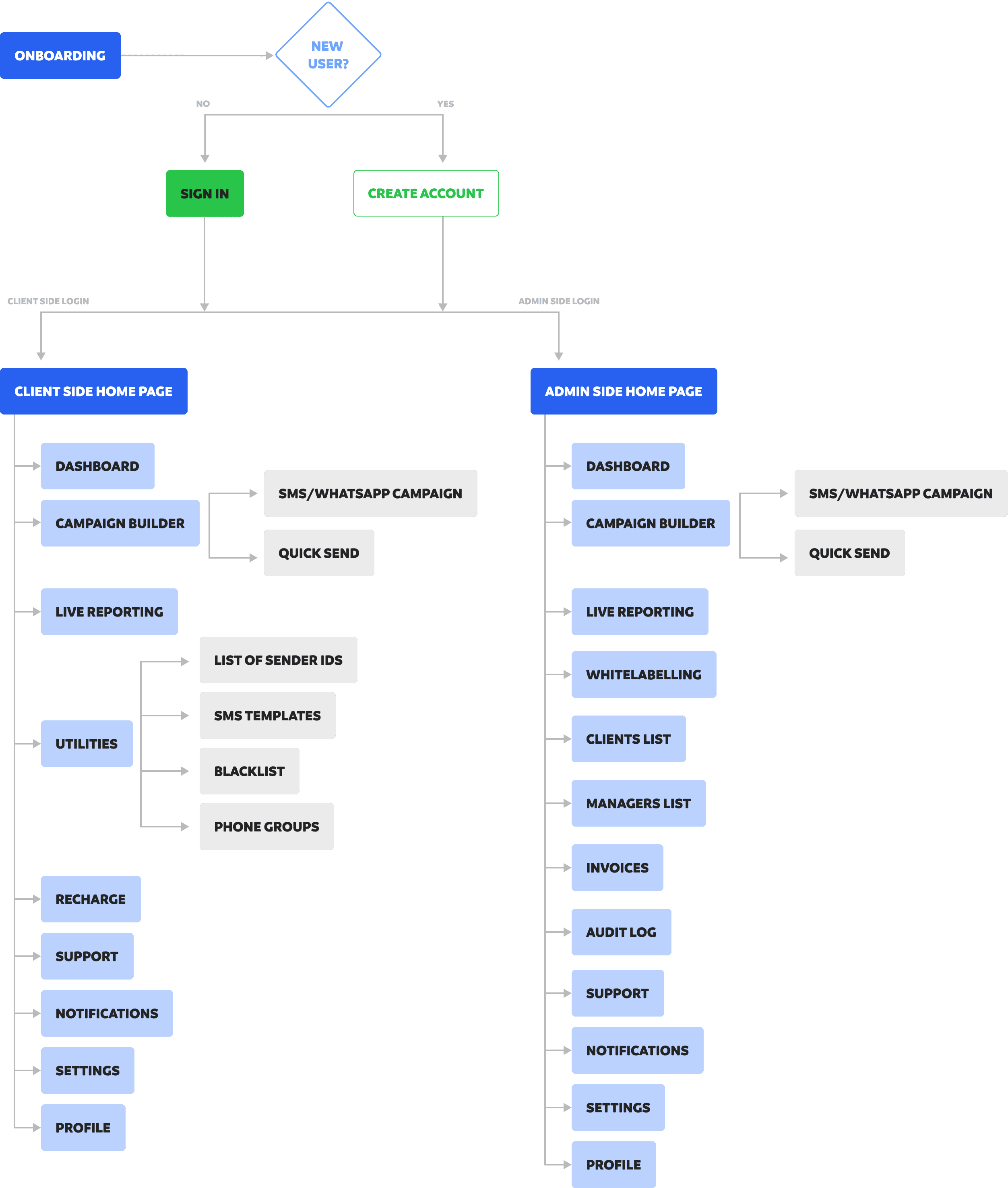
After assessing the business requirements and user inputs into how a platform for the given business case , I create the following user flow diagram. The user flow within CPASS branches into two distinct paths: the client-side and the admin-side.
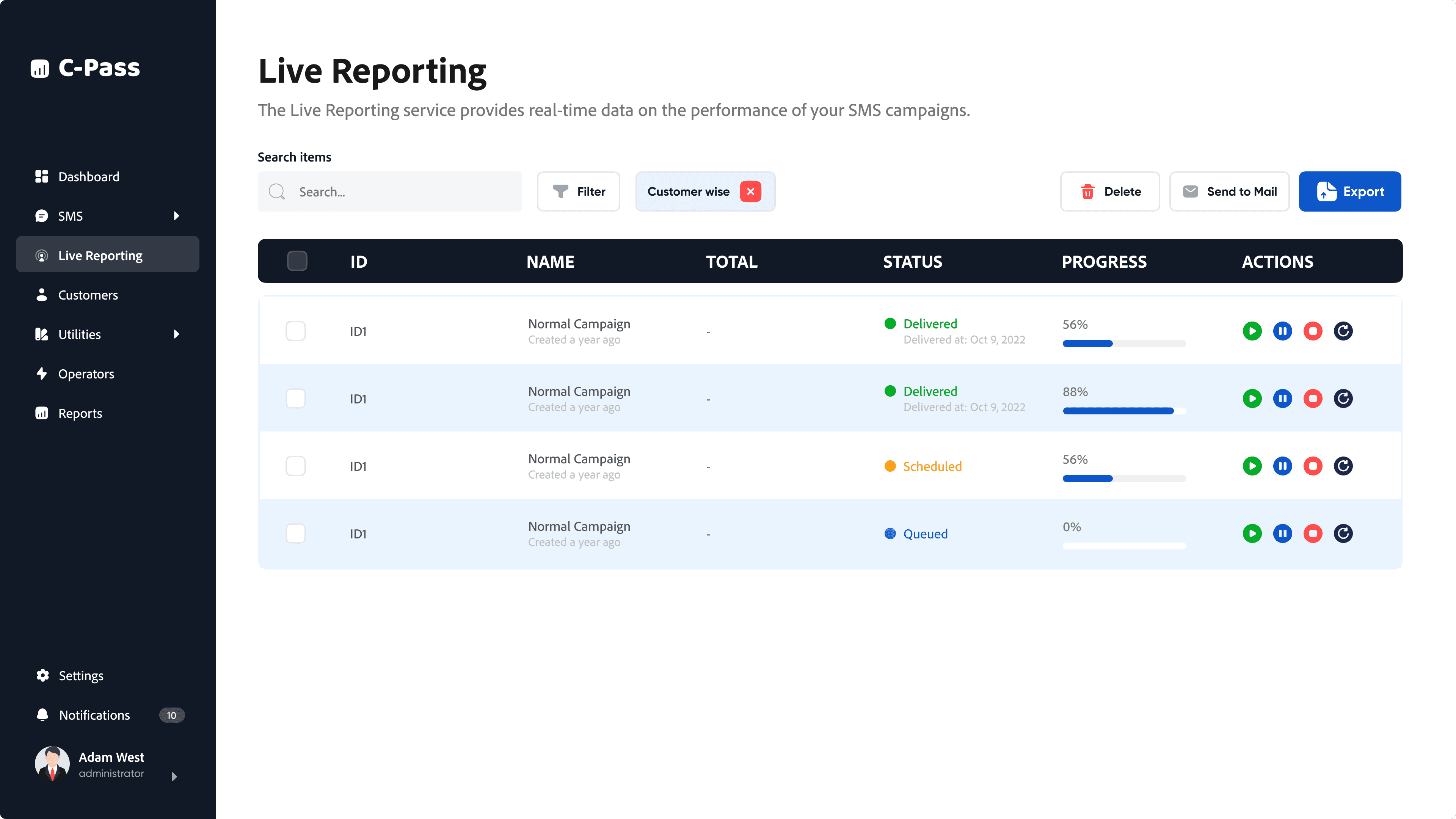
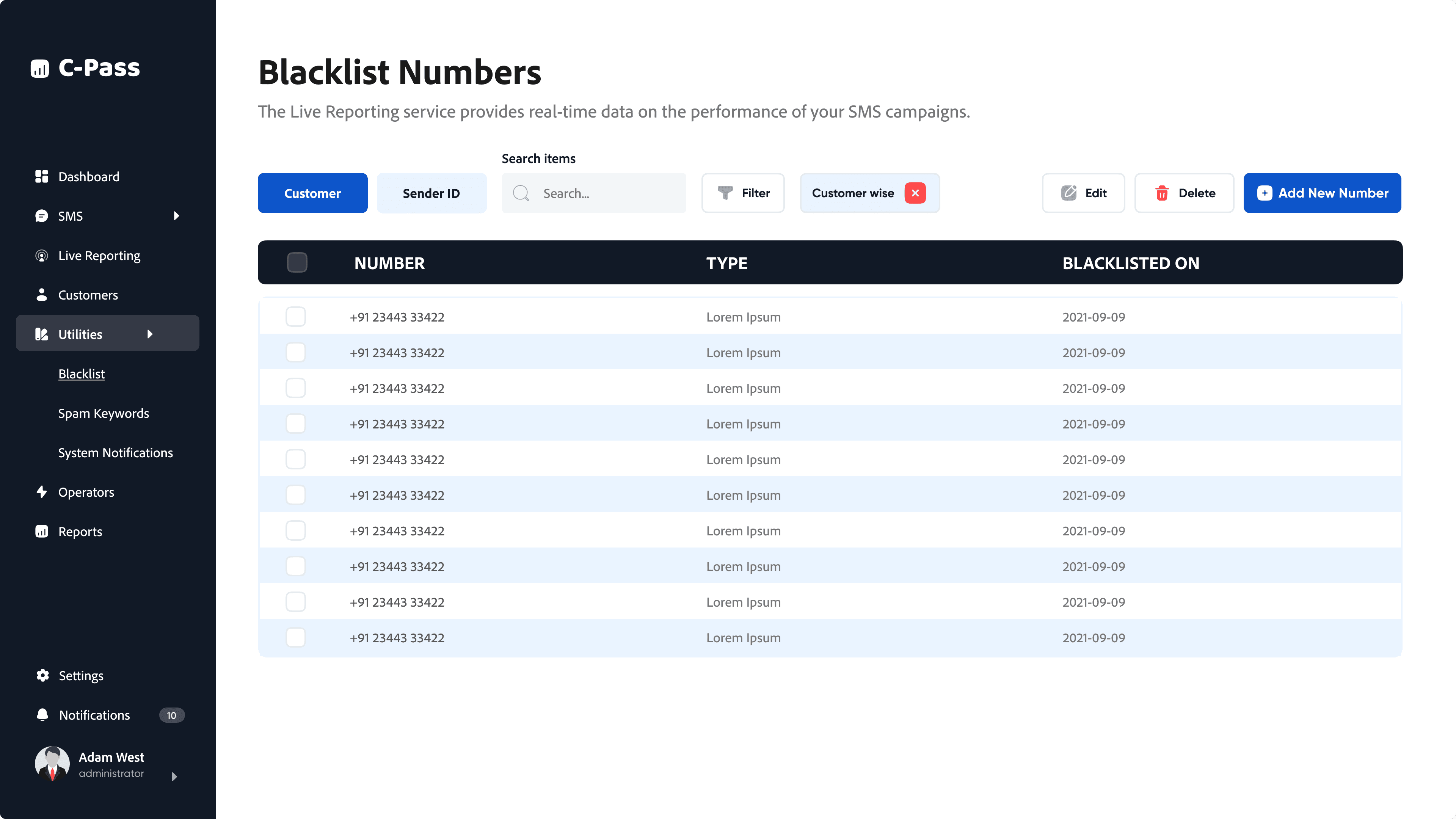
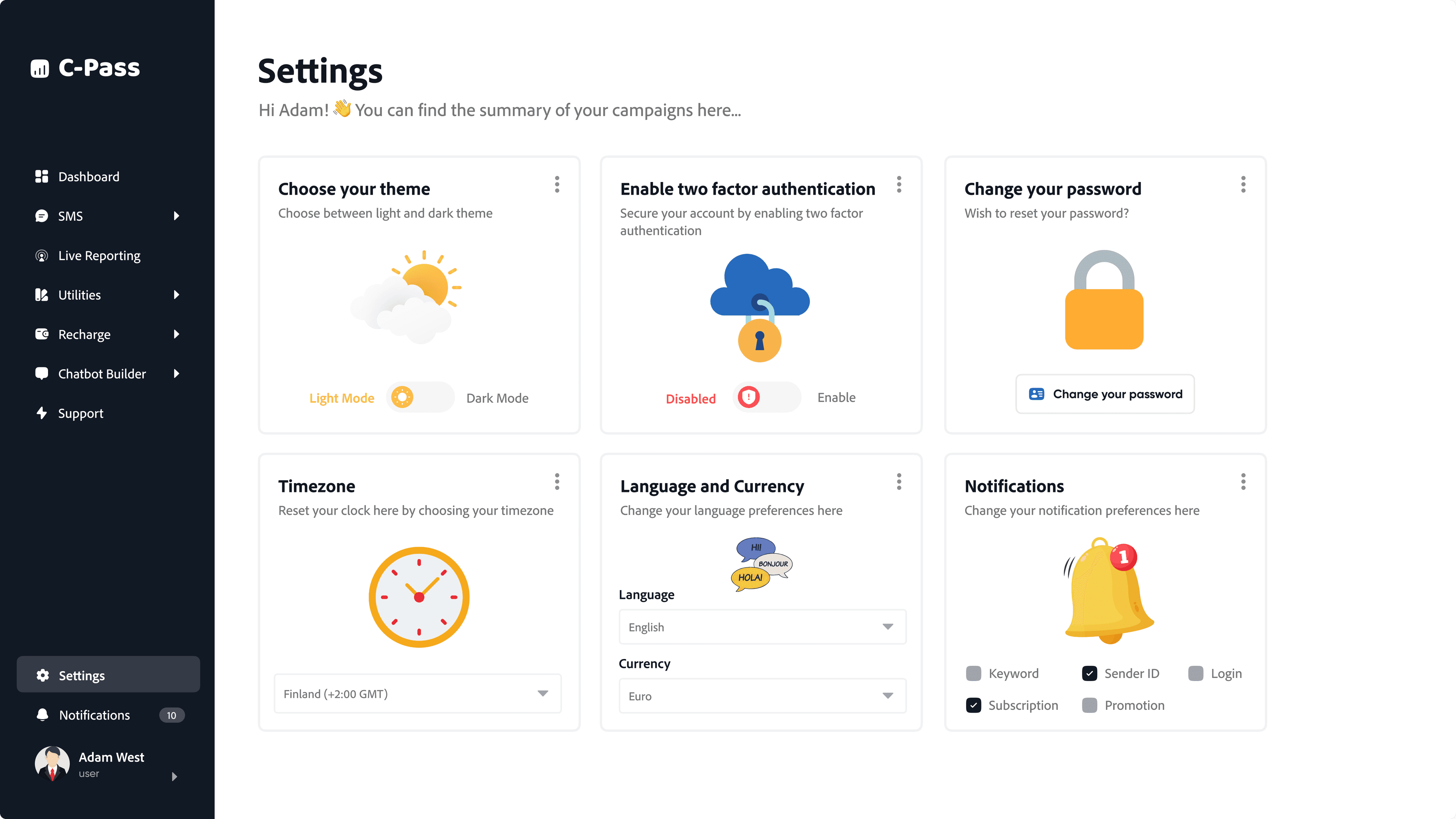
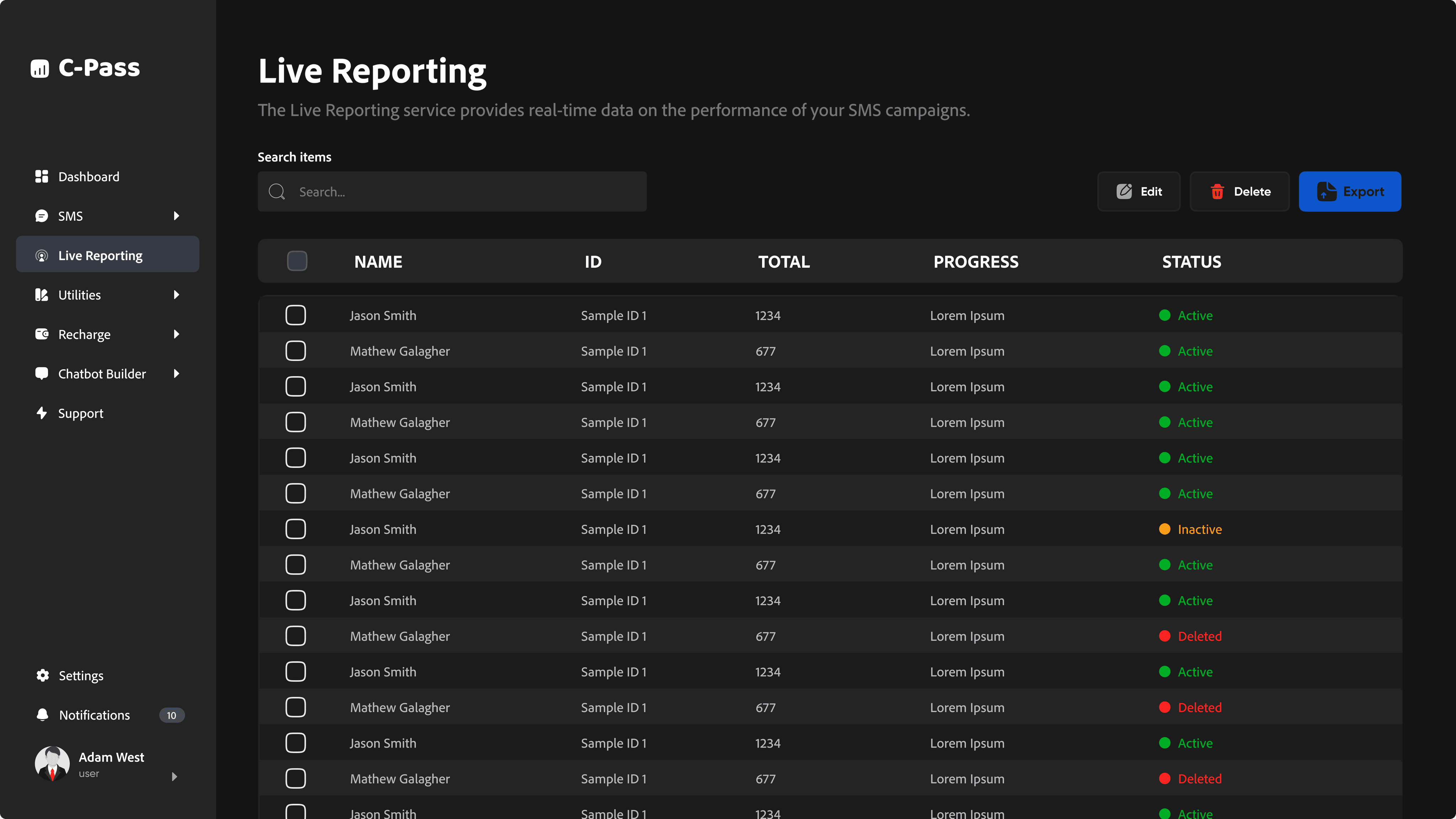
Client Side: Users primarily interact with the Dashboard, Campaign Builder (for creating SMS campaigns and Quick Send options), Live Reporting to track campaign progress, and Utilities for managing sender IDs, templates, blacklists, and phone groups. They can also recharge their SMS credits, access support, view notifications, and adjust settings.
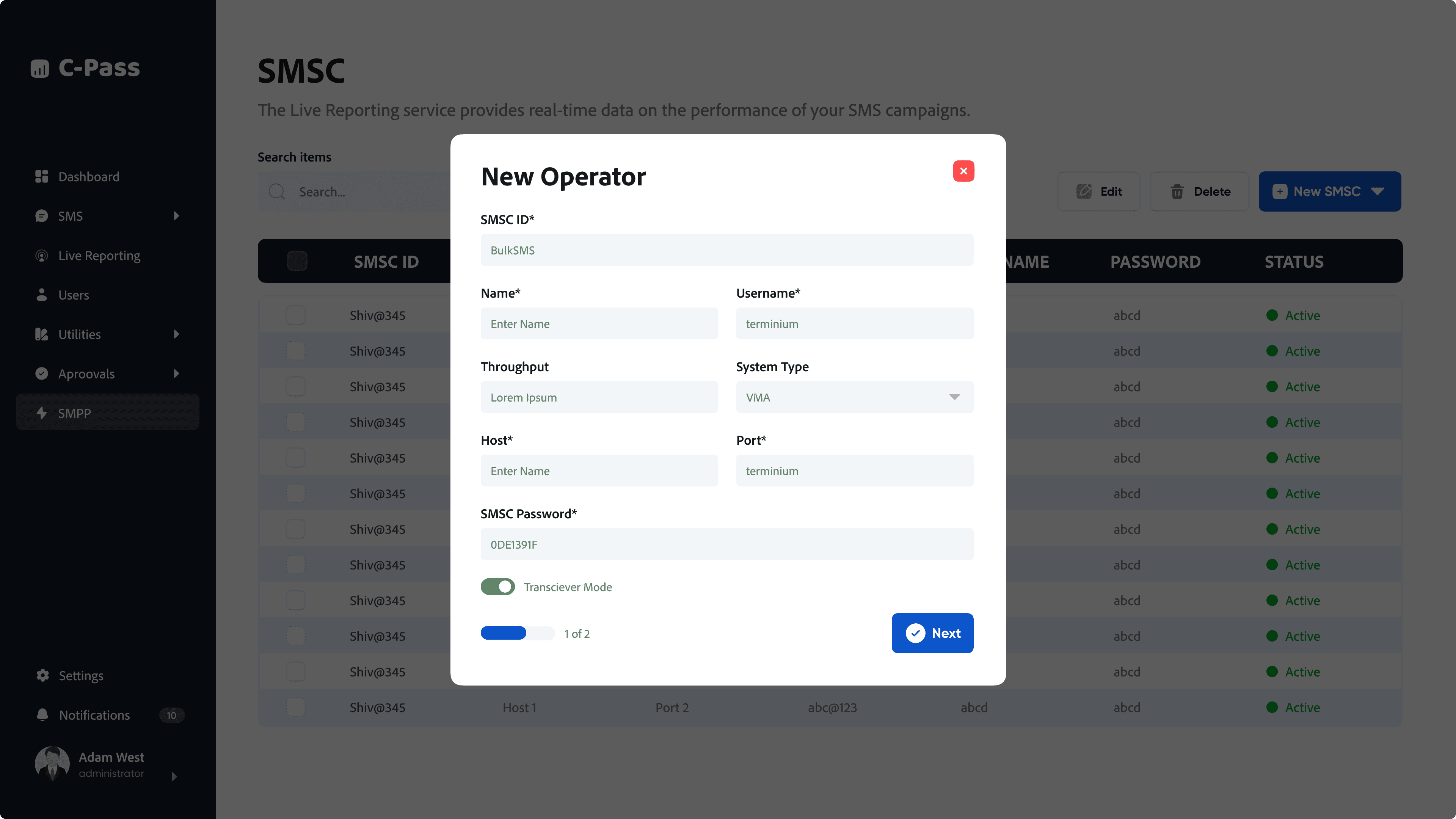
Admin Side: Admins have access to an overview Dashboard, Whitelabel settings for customization, Clients list management, and a list of Managers. They also handle invoices, have their own Campaign Builder and Live Reporting sections, maintain an Audit log, and manage support, settings, and notifications.
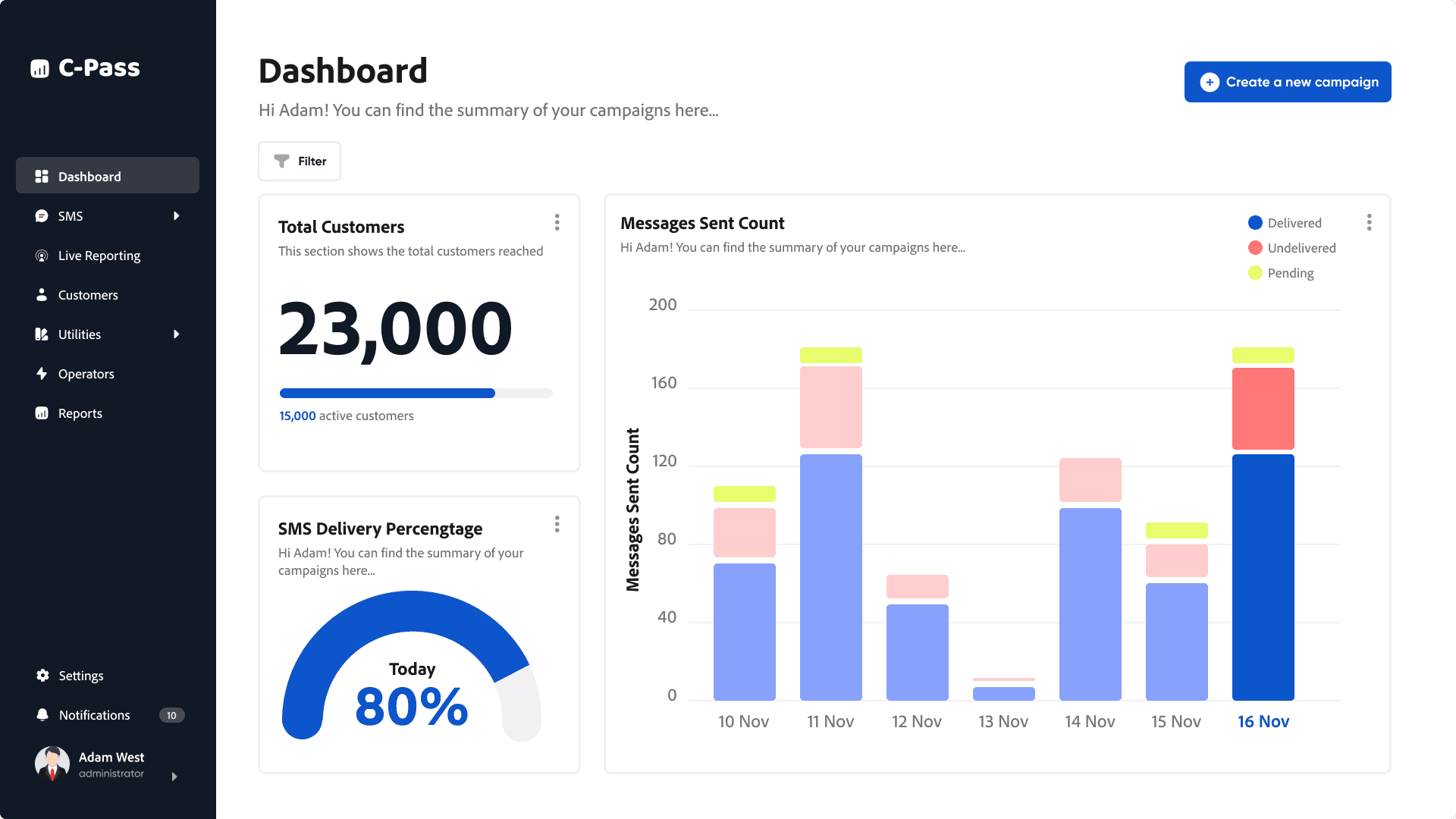
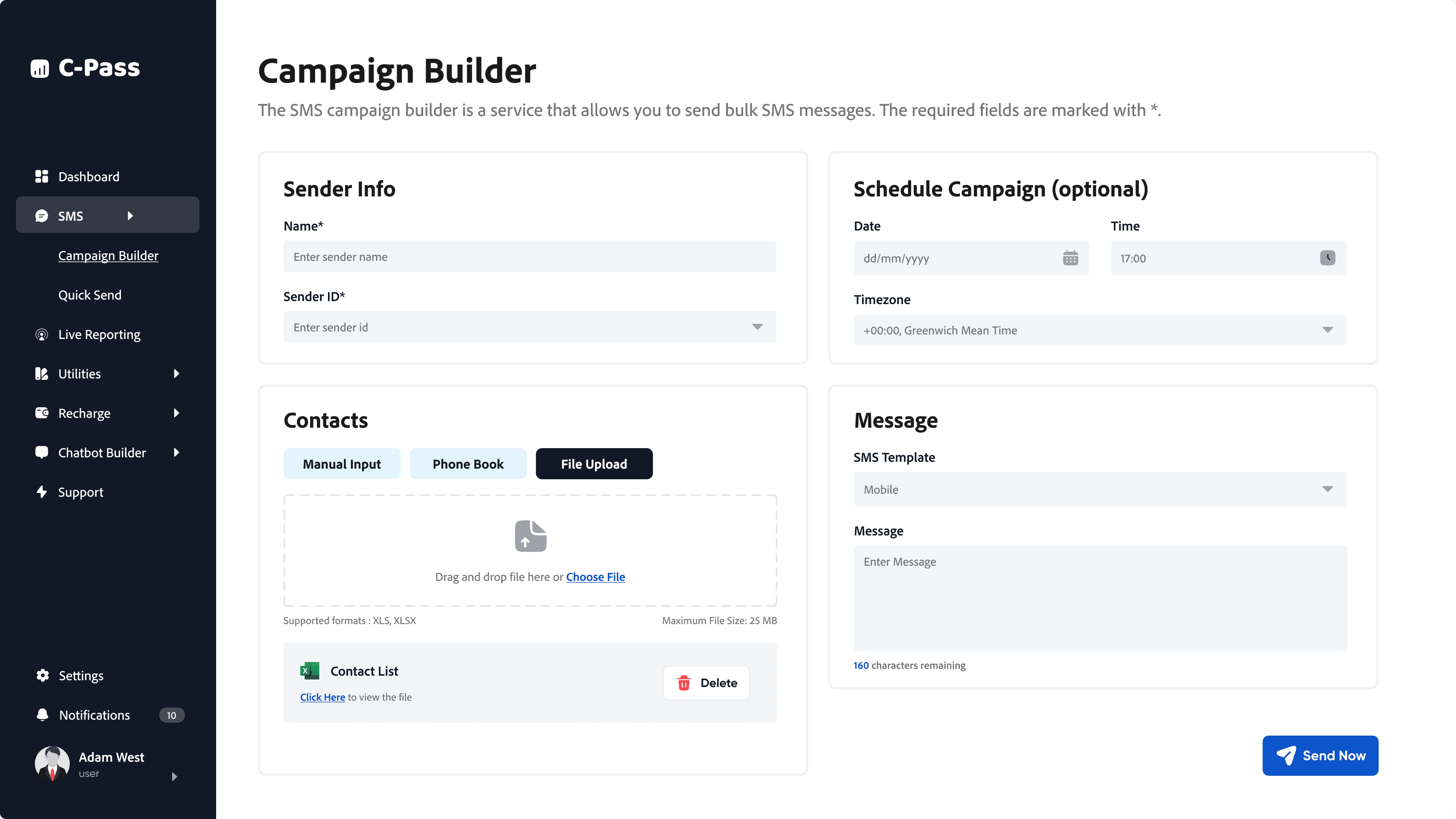
The wireframing and prototyping phase served as a bridge between the research insights and the final product design. It was during this stage that the abstract concepts and user needs began to take shape into tangible interfaces and interactions.
The wealth of information gathered from user interviews and surveys was invaluable in guiding the wireframing process. For example, the strong preference for tabular data representation directly influenced the design of the campaign reporting section. We incorporated tables with clear column headers and sortable data, allowing users to quickly access and analyze campaign performance metrics.
Similarly, the emphasis on efficiency and shortcuts led to the inclusion of keyboard shortcuts for frequently used actions, empowering power users to navigate the platform seamlessly. The wireframes and prototypes were iteratively refined based on user feedback, ensuring that these features aligned with user expectations and delivered a smooth experience.

Reflecting on the CPASS project, I'm deeply gratified by the journey and the final outcome. Witnessing the evolution from user research insights to a tangible, user-centric product was incredibly rewarding. The collaborative spirit fostered with the development team, coupled with the iterative design process, ensured that we remained aligned with user needs throughout development. One of the most valuable lessons I learned was the importance of embracing user feedback early and often.
By conducting thorough user testing and actively incorporating the feedback received, I was able to refine the design and create a product that truly resonated with its target audience. Of course, challenges arose, particularly in balancing the complexity of campaign management features with the need for a user-friendly interface. However, these challenges pushed me to innovate and find creative solutions that ultimately enhanced the user experience. Looking ahead, I'm excited to see how CPASS evolves and continues to empower businesses to achieve their communication goals.